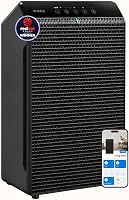
How to Tell If an Air Purifier Is Working
Check for steady airflow, a properly fitted filter, and changing sensor readings to tell if an air purifier is working. A purifier can clean particles you can't see, so a clear room or a quiet fan alone doesn't prove much.
On this page (9 sections)
- How can you tell if an air purifier is working?
- What should you check first if the purifier seems inactive?
- How can an air quality light or sensor help?
- Why might the room still look or smell the same?
- How do you check the filter and airflow?
- Which features make it easier to monitor operation?
- When should you suspect a problem?
- How do you keep an air purifier working over time?
- What is the quickest way to check your air purifier?
Check for steady airflow, a properly fitted filter, and changing sensor readings to tell if an air purifier is working. A purifier can clean particles you can't see, so a clear room or a quiet fan alone doesn't prove much.
Start with basic operation: confirm the unit is on, the intake and outlet aren't blocked, and the filter is seated as the manual directs. If the purifier has an air quality indicator, see whether its reading responds to a change in the room.
How can you tell if an air purifier is working?
A working purifier has unobstructed airflow and a correctly installed filter. An air quality light or sensor can offer another clue, but it only measures what that sensor is designed to detect.
Place the unit where air can move freely around its intake and outlet. A purifier pushed against a curtain, tucked behind furniture, or crowded into a corner may have less room to draw and release air.
Check the filter door and any protective wrapping. A filter left in its shipping bag or installed backward can restrict airflow or prevent the unit from cleaning air as intended.
If you need help matching a purifier to your room, see how to pick the best air purifier for your home. Capacity and placement affect what you can expect from the unit.
What should you check first if the purifier seems inactive?
Check the power, settings, filter, and air openings before assuming the purifier is broken. These simple checks can reveal a setting or setup issue.
- Confirm the power cord is firmly connected and the unit is switched on.
- Check that the fan is running or that the display shows the selected mode.
- Inspect the intake and outlet for dust, fabric, or nearby objects.
- Make sure the filter is installed in the correct direction and its cover is closed.
- Check the manual for filter reset steps or indicator meanings.
Some models turn the fan down when air seems cleaner or when a quiet mode is active. That change may be normal; compare the display with the mode you selected and consult the manual before changing settings.
Does a quiet fan mean the air purifier isn't working?
No, a quiet fan by itself doesn't mean the purifier has stopped working. A low setting or sleep mode may produce less noise and airflow than a higher setting.
If you want to check for airflow, hold a hand near the outlet without blocking it. Compare the result across settings, then return the purifier to the mode you normally use.
How can an air quality light or sensor help?
A changing indicator can show that the unit's sensor has noticed a change in the air it measures. It doesn't confirm that every type of particle, gas, or odor has been removed.
Try a simple observation: note the displayed reading, introduce a brief indoor activity that may add particles, and watch whether the reading changes and later settles. Avoid deliberately creating smoke or using sprays to test the unit.
Sensors differ by model. A reading can respond to some airborne particles while missing gases or odors, so treat it as one operating clue rather than a complete indoor air quality report.
What does “clean air” on a display mean?
It means the sensor is reporting a level within its own measurement range. It doesn't mean the air is free of all pollutants.
Shark says its HP152 display's “Clean Air 100%” means airborne particle concentration from PM 1.0 to PM 10 is at or below the sensor's detection limit. It isn't a claim that the air contains no pollutants.
For a sensor-equipped option, the Winix 5510 has a visual air quality indicator and a sensor that adjusts fan speed in Auto Mode.
Why might the room still look or smell the same?
A room can look or smell unchanged while a purifier captures airborne particles. Odors, settled dust, and particles entering from outside may continue even while the unit runs.
A purifier doesn't remove dust that has already settled on shelves or floors. Keep cleaning those surfaces, and check whether open windows, cooking, pets, or other ongoing sources are adding particles faster than the unit can reduce them.
Odor control also depends on the filter and the odor. The DREO DR-HAP008 has a 3-in-1 filter with an activated carbon layer that helps reduce household odors, but don't expect every odor to disappear.
If a musty smell is the concern, first look for damp materials or a moisture source. An air purifier won't fix the source of dampness; see whether an air purifier can get rid of a musty smell.
How do you check the filter and airflow?
Confirm the filter is clean enough to use, seated correctly, and replaced according to its care instructions. Don't judge performance by appearance alone.
A pre-filter may collect larger, visible debris, while the main filter can capture particles too small to see. A filter that looks clean can still be working, and a dusty filter doesn't tell you exactly how much cleaning the unit is doing.
Use the manual to check whether a washable pre-filter can be cleaned and whether the main filter must be replaced. Don't wash a HEPA filter unless its instructions say to do so; our guide explains what works for washing a HEPA filter.
The Winix A230 has a washable fine mesh pre-filter and a built-in sensor that measures air quality and adjusts fan speed in Auto Mode.
If airflow seems weak after checking the filter, switch the purifier off before cleaning accessible parts. Follow the manual and avoid taking apart the motor or electrical components.
Which features make it easier to monitor operation?
A visible indicator or a sensor display makes operation easier to observe, but neither replaces basic filter and airflow checks. Choose based on the feedback you want to see.
The Shark NeverChange HP152 displays real-time air quality, filter life, and fan speed. Its CleanSense IQ display is designed to show changes in the particle concentration the sensor measures.
The Winix 5510 pairs its air quality indicator with Auto Mode, while the DREO DR-HAP008 shows PM2.5 readings and an air quality indicator. These features help you monitor the unit, but a display can't confirm that all pollutants are gone.
When should you suspect a problem?
Look into a problem if the unit won't power on, has no airflow on a normal fan setting, or shows an error that continues after the manual's reset steps. Stop using it if you notice damage, overheating, or an electrical smell.
Recheck the outlet, cord, filter installation, and blocked vents. If the problem remains, contact the manufacturer or a qualified repair service rather than opening electrical parts yourself.
A filter alert may mean the filter needs service or the indicator needs resetting, depending on the model. Follow the manual's specific instructions before buying a replacement or resetting the alert.
How do you keep an air purifier working over time?
Keep the airflow clear and follow the model's filter care schedule. Regular checks help you spot a blocked intake, a loose filter, or a setting that changed.
Clean or replace filters only as directed, and keep the purifier away from objects that cover its openings. If you run it for long periods, our guide on whether to leave an air purifier on all the time covers common operating choices.
A purifier's electrical use may also affect how often you run it. See how much electricity an air purifier uses when comparing run time and energy use.
What is the quickest way to check your air purifier?
To tell if an air purifier is working, confirm power, filter fit, and clear airflow, then watch any sensor or indicator for a response. Don't use a quiet fan, an unchanged smell, or a clean-looking filter as the only test.
Choose a model with a display if you want visible feedback, and follow its instructions for filters and alerts. If mustiness persists, find the moisture source first and use our musty smell guide to decide what an air purifier can help with.
Frequently asked questions
How can I tell if my air purifier is working?
Check that the unit is powered on, air is moving through its intake and outlet, and the filter is installed in the right direction. If it has an air quality sensor, watch for readings to change when indoor particles increase and then settle.
A sensor reading is one clue, not a measure of every pollutant.
Should an air purifier make the air smell different?
Not always. A particle filter can capture airborne particles without changing a room's odor, and a carbon filter's odor reduction depends on the odor and the amount of carbon.
If the purifier itself smells, turn it off and check the filter, packaging, and care instructions.
How long does it take an air purifier to improve air quality?
There isn't one time that fits every room. Room size, purifier capacity, fan speed, airflow, and the source of particles all matter.
Keep doors and windows closed when practical, run the unit as directed, and give its sensor time to respond instead of expecting an instant change.
Can I tell if an air purifier works by looking at its filter?
A visibly dusty pre-filter can show that it has caught larger particles, but a clean-looking filter doesn't prove the purifier has failed. Fine particles may not be obvious, and filters can capture material without looking dirty.
Use the manual's replacement guidance and check airflow, fit, and operation too.